 DeckWerk
Open-source · Linux, macOS, Windows
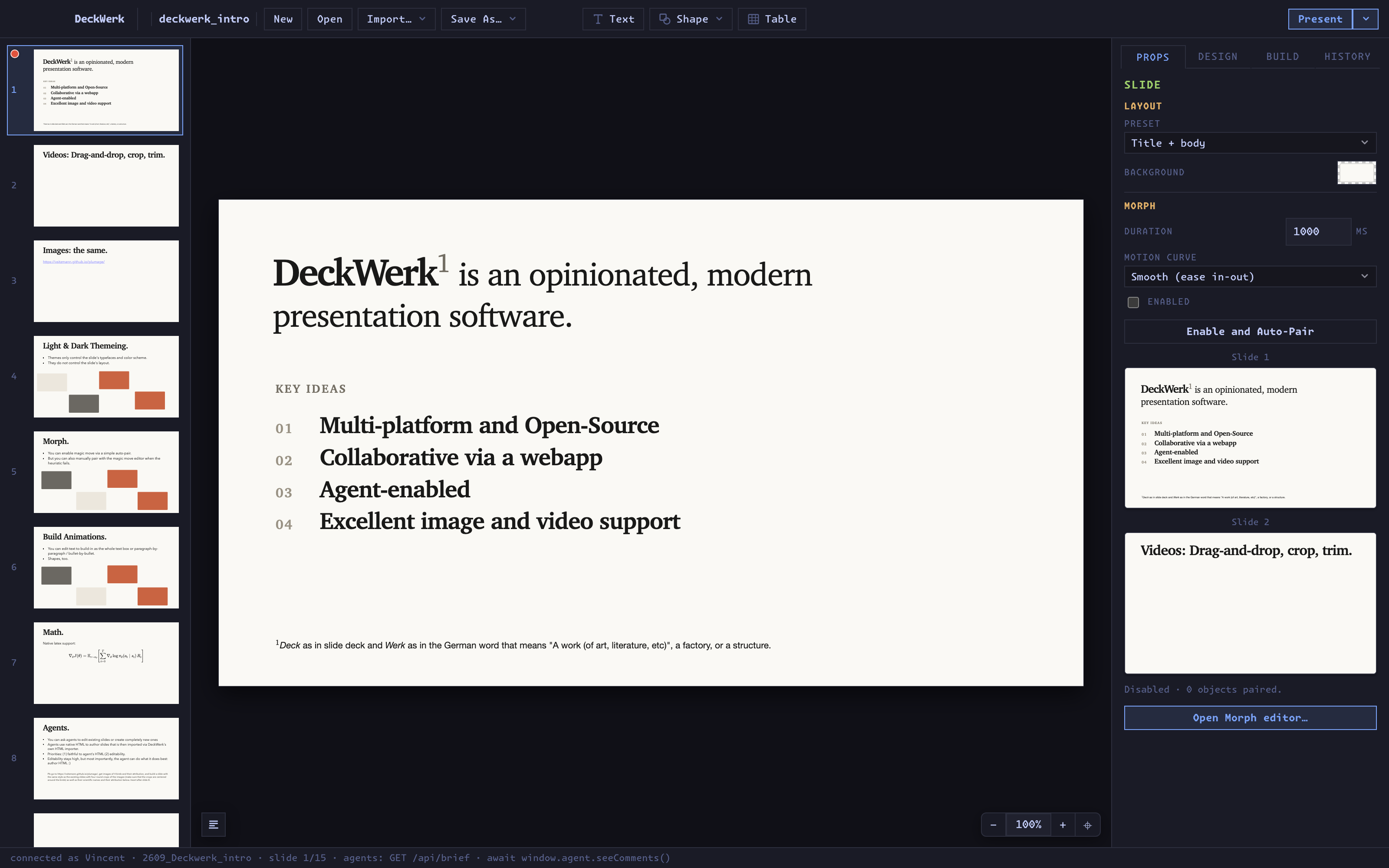
DeckWerk1
An opinionated slide editor for talks made of video.
Drop a clip on a slide and it plays. Crop it, trim it, morph it into the next slide, present it. Linux is a first-class platform. Agents edit the same deck you do. Collaborators join from a link on your network, no accounts.
1 Deck as in slide deck, and Werk, the German word for a work, a creation, or a craft.
Why another slide editor
Most presentation software doesn't run on Linux. Web slides barely play video.
DeckWerk exists so that research talks, lectures and demos can be built and delivered from a Linux laptop without compromise. It is optimized for presentations centred on video and image content; animation, tables, plotting and templating are reduced to the minimum.
That makes it opinionated. DeckWerk is not trying to reproduce every feature of PowerPoint or Keynote. It is trying to make one particular kind of visual, media-rich presentation easy to create, and easy to collaborate on in trusted networks such as labs and companies.
- 01
Cross-platform
It has to work on Linux. It also runs on macOS and Windows, and a deck opens identically on all three.
- 02
Video is a first-class object
Drag a video onto a slide. Crop, trim, add effects and present without leaving the editor. Media is transcoded into compatible formats automatically.
- 03
Native agent integration
Agents author slides in the HTML and CSS they already excel at, reuse a deck's assets and typography, and make surgical edits through a revision-bound API.
- 04
Effortless collaboration on trusted networks
A session runs from a laptop or a headless server. Anyone on the same LAN or tailnet opens a link and edits with you, cursors and selections included.
What you get
The features a visual talk needs. Not many more.
Each of these is covered in the manual. Everything else works the way you would expect from a slide editor.
Video
Drag and drop, then crop, trim and mask non-destructively. Clips stay ordinary video files.
Images
The same tools: masks, circular crops, blur, posterize and greyscale, stacked in any order.
Morph
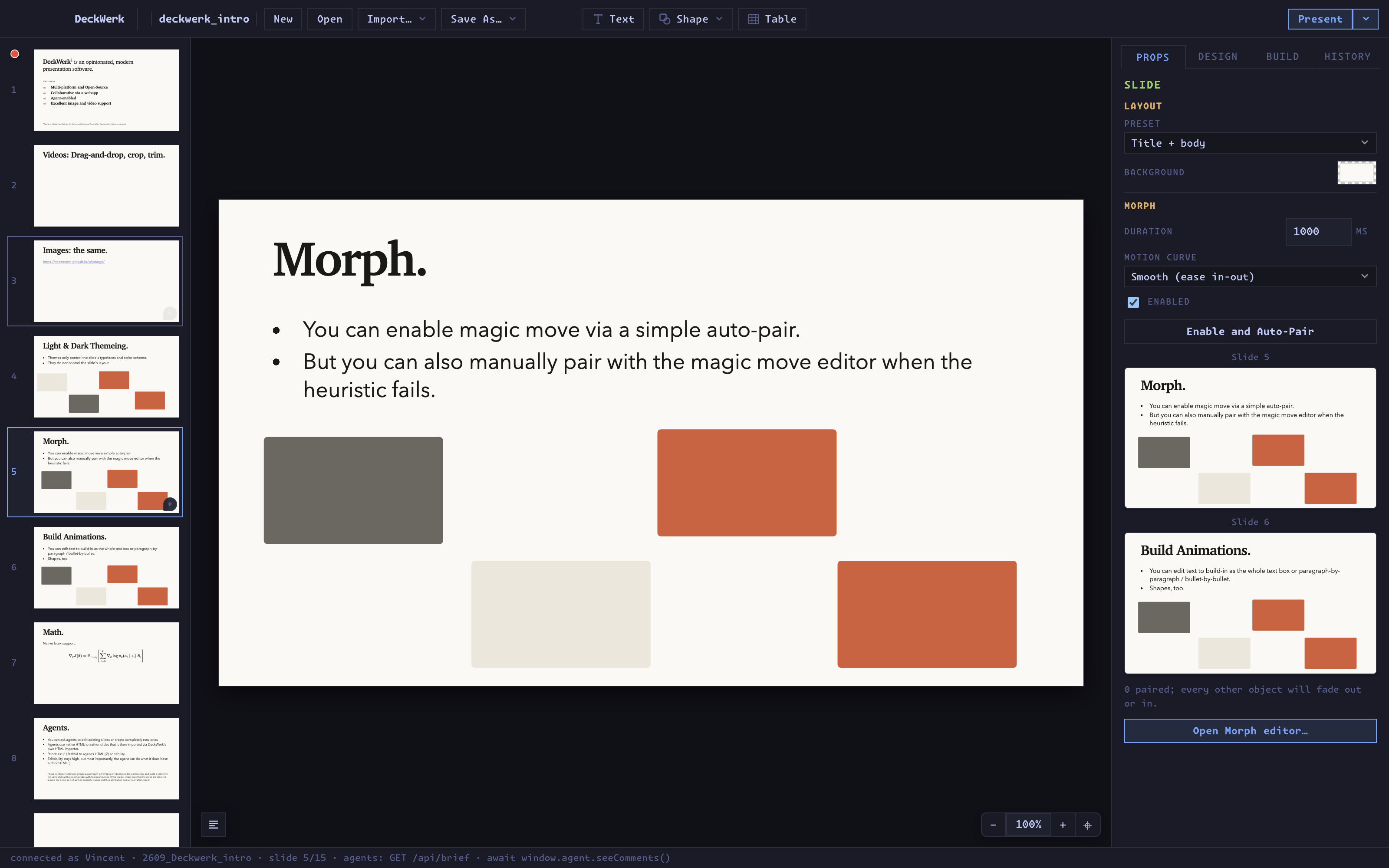
Magic-move between slides. Auto-pair what can be matched confidently, pair the rest by hand.
Builds
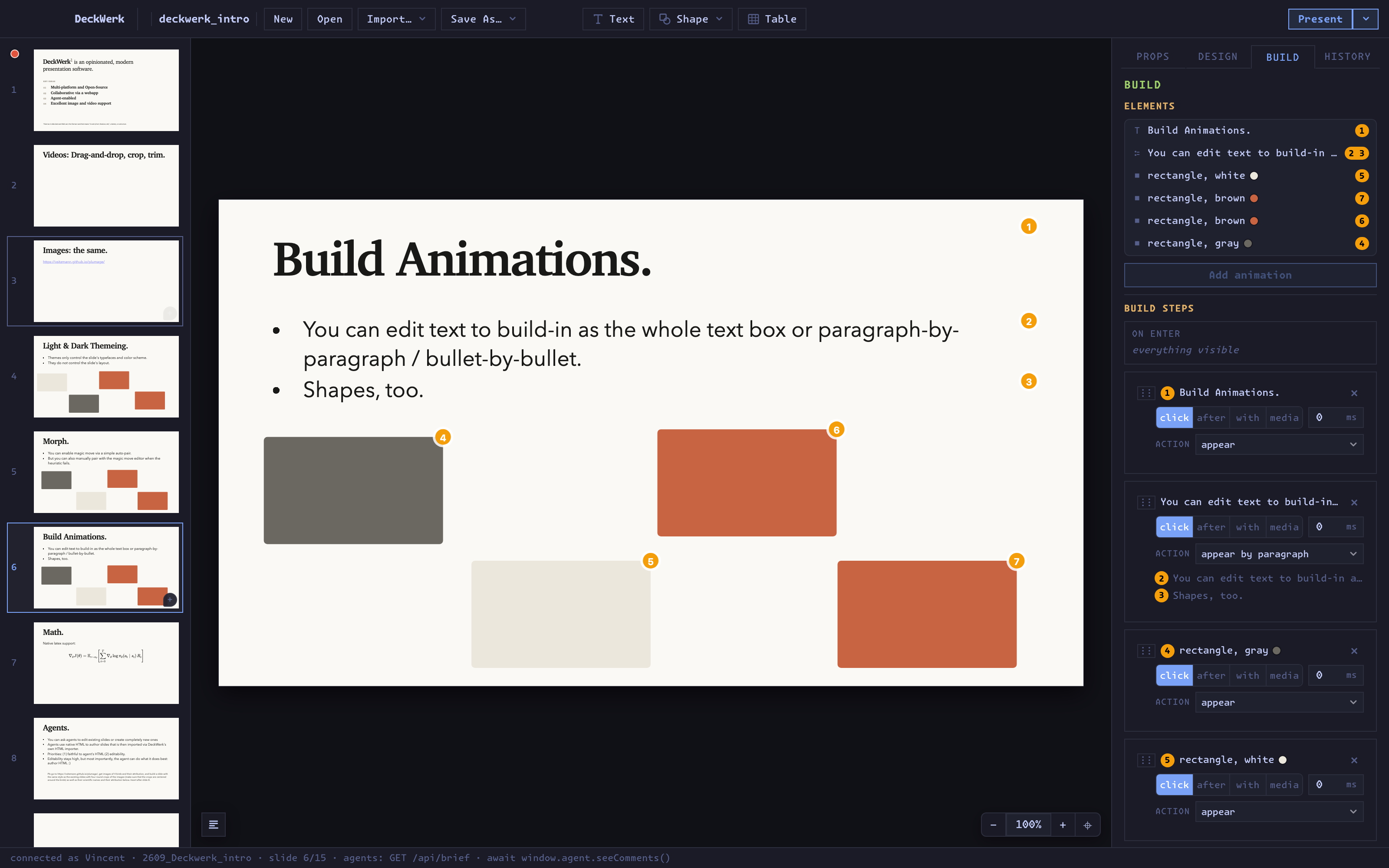
Reveal a text box, a paragraph, a bullet or a shape at a time. Preview the timeline in place.
Math
Native LaTeX, inline and display, rendered on the slide as you type.
Themes
Typefaces and a colour scheme, light or dark, applied across the deck. Themes never touch your layout.
Agents
Ask for a new slide in the style of the deck, or a fix to an existing one. Watch it appear live, undo it like any other edit.
Collaboration
One click starts a session and copies an invite link. Colleagues join from a browser and see each other work.
History
A full edit history, including agent edits and the undos of other collaborators.
Presenter mode
Speaker notes, next slide and a clock on your screen; the deck on theirs.
Keynote import
Bring existing talks across, media and all.
Web export
Export a self-contained folder that plays in any browser, with video compressed to just the ranges the slides use.
Install
One command on most systems.
DeckWerk is in alpha and under active development. It already authors and delivers real talks, but interfaces and the file format may still change.
Linux
From Flathub, on any distribution with Flatpak.
$ flatpak install flathub org.deckwerk.DeckWerk
Prefer no Flatpak? An .AppImage and a .deb are attached to every release.
macOS
Signed and notarized, via Homebrew. Apple silicon and Intel.
$ brew install --cask vsitzmann/tap/deckwerk
Or download the .dmg from the latest release.
Any platform: build it yourself
Three commands, no cross-compilation tricks. Works on distributions the packages above don't cover. Prerequisites are in docs/BUILDING.md.
$ git clone https://github.com/vsitzmann/deckwerk.git
$ cd deckwerk && npm ci && npm run dist
Made for
Talks where the visual material is the substance.
- Research talks and technical presentations
- Video-heavy project demos
- Lectures built around visual examples
- Talks with many images, clips, diagrams and animations
- Decks edited together by people and AI agents
Your files stay yours
A deck is a folder.
A presentation is a directory on your disk: the slides as JSON, the theme as CSS, the media as ordinary video and image files, plus the edit history. Nothing is uploaded anywhere before you can edit, present, share or archive it. Put it in git if you like.
my-talk/
├── deck.json      # the slides
├── theme.css      # fonts and colours
├── notes.md       # speaker notes
├── assets/        # your .mp4 and .png, untouched
└── deck-history   # every edit, human or agent
Deck + Werk
Made by Vincent Sitzmann so that polished talks can be written and given from Linux. MIT licensed. Contributions, bug reports and vibe-coded pull requests are welcome.
Alpha · under active development